
For teachers and tutors
Teach it once, not once per student
Courselink holds recorded classes, not live ones: video lessons with your notes and files attached, on a course site of your own. Zero commission, forever.
Create free courseNo credit card required
What “online classes” means here
Two different things go by that name. One is your usual class moved onto a call, which still costs you the hour. The other is your teaching recorded once and watched by as many students as buy it. Courselink does the second one only.
What it holds
Video lessons with written notes under them and files attached — worksheets, past papers, the handout you photocopy. Lessons sit in the order you teach them, and a course can include quizzes.
What it does not
No live classes, no video calls, no timetable and no scheduling. If you teach live as well, that carries on exactly where it is now; nothing here replaces it.
Who can open it
Anyone who buys, or only the students you invite. You choose for each course.
Where it lives
At yourname.course.link, which is a link you can send on WhatsApp. You can move it to a domain you own later.
An hour of tuition, or one recording
An hour of tuition is paid once, and next month it costs you the same hour again. A recorded course costs you the recording once, and every student who buys it after that watches the same lessons without taking another hour of your week.
Recording still takes time before it earns anything, and nobody buys a course a teacher has never told anyone about. The students who buy are the ones you reach, not the ones who stumble across you.
Five courses a tutor already has in their head
The whole syllabus, chapter by chapter
One subject, one exam, in the order you already teach it through the year. The course a student joins instead of a batch.
The one topic that stops everybody
Trigonometry, titration, tenses, whatever half your students lose marks on. Short, cheap, and the easiest first course to finish.
The doubts you answer every single batch
Take the questions students actually ask you, make each one a lesson, and stop explaining the same thing for the ninth time.
A practical course for a vocational subject
Spoken English, accounting software, a lab procedure, a trade skill. Things taught by demonstration, where watching closely is most of the lesson.
A primer for parents and absolute beginners
What the subject covers, how the exam is marked, what to buy and what to skip. The conversation you have on the phone before anyone enrolls.
Getting the first one recorded
-
Start with what you teach from memory
The chapter you could teach with the lights off. You will not be writing a syllabus; you already have one, and the recording goes faster when the material is the part you know cold.
-
Record it in the pieces you teach it in
One lesson per idea rather than one long class. Type the notes under each lesson and attach the worksheet or question paper that belongs to it, so students stop messaging you for the PDF.
-
Price it and open one lesson
A course takes a one-time price with an optional sale price, and you can leave a lesson free to preview so a parent can see how you teach before paying. Coupon codes are how a first batch gets a discount without you changing the price for everyone.
-
Send the link to the students you already have
Your current and former students, their parents, the group you teach in person. A recorded course sells to the people who already know you teach well, before it sells to strangers.
Your batch, and everyone else
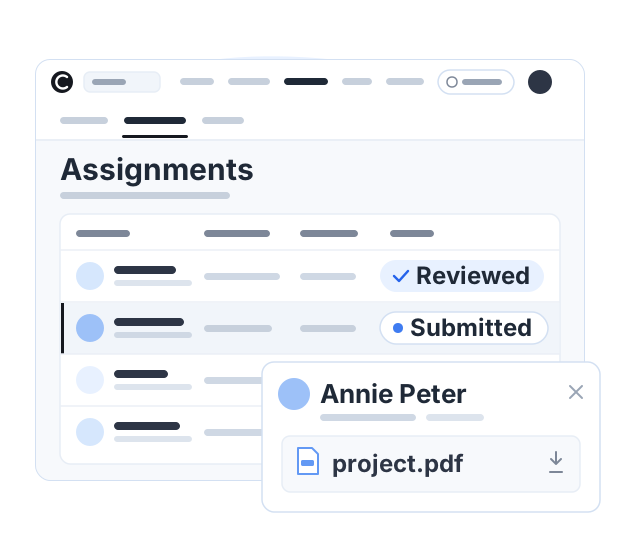
The same recordings can do two jobs. An invite-only course is open only to the students you add — your current batch, working through the lessons between classes. The public version of the course sits on your site with a price on it. Assignments appear in the lesson list for students to hand in, and the students table has search, filters and an Export CSV button when you need the list somewhere else.
Something to finish, not just something to watch
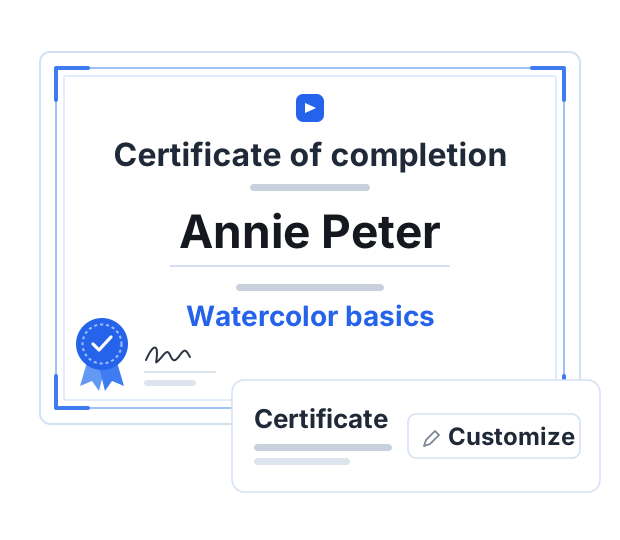
A recording students never finish is worth nothing to them and nothing to your reputation. A course can include quizzes between lessons, progress is tracked per student, and a course setting issues a certificate of completion at the end. It is a record from you rather than a qualification, and no board recognizes it — but students finish things that end somewhere.
Plans for teachers and tutors
Record the course first, then pick the plan that fits when you are ready to sell it or open it to a batch.
Questions teachers and tutors ask
No. Courselink holds recorded material: video lessons with written notes and files attached to them. There are no live classes, no video calls and no scheduling here. If you also teach live, keep running those sessions wherever you run them now and use Courselink for the part students should be able to rewatch.
Yes. Build and publish your course free, with no card. When you want to charge for it, the pricing page shows which plan fits.
Yes, with an invite-only course. Your batch gets a private course only invited students can open, while the recorded course you sell stays public on your site.
A course setting issues a certificate of completion to students who finish. It is a record from you, not an accredited qualification, and no board or authority recognizes it.
Your classes live at yourname.course.link from the start. You can also connect a domain you own, add custom pages and remove Courselink branding.
More questions? Visit our Help Center
Record the class you teach every year
Record it once, then sell it to as many students as you can reach. Courselink takes 0% of what your students pay.
Create free course- Free to build
- No credit card
- 0% commission