
Feature
Quizzes, assignments and certificates
A course is more than a row of videos: add quizzes between lessons, set assignments students hand in, and issue a certificate of completion at the end. Students can see how far through they are the whole way, and leave with something they can download.
No credit card required
Included on every plan. See plans →
What a course can hold besides video
Most of a course is video, uploaded or pulled in from YouTube, Vimeo or Google Drive. The parts around the video are what turn a set of recordings into something a student actually works through.
Quizzes between lessons
Check understanding at the point it matters, before you build the next lesson on top of it.
Assignments
An assignment is an item in the lesson list, like a video is. Students hand their work in and it collects in your dashboard.
Files on any lesson
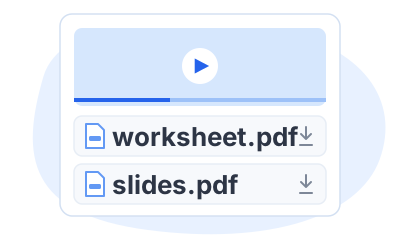
Attach the worksheets, PDFs and slides a lesson needs, right under the video.
What a student sees as they work through it
Your students learn on your own course site, with the curriculum beside the lesson they are watching, so they always know where they are in the course.
-
Progress is visible from the first lesson
The lesson player counts completed lessons against the total — 0 of 4 on day one — with a progress bar that fills as they go.
-
Lessons not open to them carry a padlock
The shape of the whole course stays in view, including the parts a student hasn’t reached yet.
-
A certificate at the end
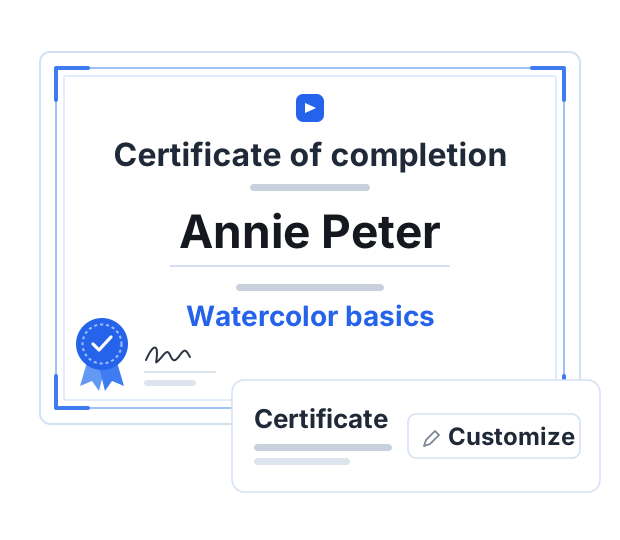
Your course settings have a Certificate row that issues a certificate of completion to your students, with a Customize button beside it. Each student who finishes gets their own, ready to download.
If your videos are already free on YouTube
A playlist plays. It asks nothing of the person watching, it keeps no record of whether they reached the end, and it has nothing to give them when they do. That gap is most of the difference between a playlist and a course.
Put the same videos into a Courselink course and the structure comes with them: a set order, a quiz where the material gets hard, an assignment that makes somebody apply it, a progress bar that shows the end is reachable, and a certificate that marks getting there. The videos can stay public on YouTube; what you are adding is the path through them.
What a completion certificate is, and isn’t
The certificate is yours, not ours and not an awarding body’s. It records that a student completed your course, and it carries exactly as much weight as your name does with the people they show it to.
It is not an accredited qualification, and no course platform can make it one. If your students need an accredited credential they need an accredited provider. What a completion certificate does well is mark the end of your course and give somebody something to show for finishing it.
More on this for your kind of course: For teachers and tutors. Every plan and limit is on the pricing page.
Questions about quizzes and certificates
No. Quizzes, assignments and completion certificates are included on every plan, for free and paid courses alike.
Yes. A course can include quizzes alongside its video lessons, so you can check that something landed at the point it matters rather than waiting until the end of the course.
Assignments sit in the course’s lesson list like any other item, and each course card shows how many the course contains. Submissions collect in your dashboard, on the Assignments tab under Students.
Yes. Switch the certificate on in the course settings and each student who completes that course gets their own certificate of completion to download.
More questions? Visit our Help Center
Your course could be live today
Start with the videos you already have. It is free to build, and Courselink never takes a cut of your sales.
Create free course- Free to build
- No credit card
- 0% commission