In some cases, it's helpful to offer a few courses for free so potential learners can get a taste of your teaching style and content before committing to a paid course. This can increase trust, improve engagement, and ultimately lead to more enrollments for your paid courses.
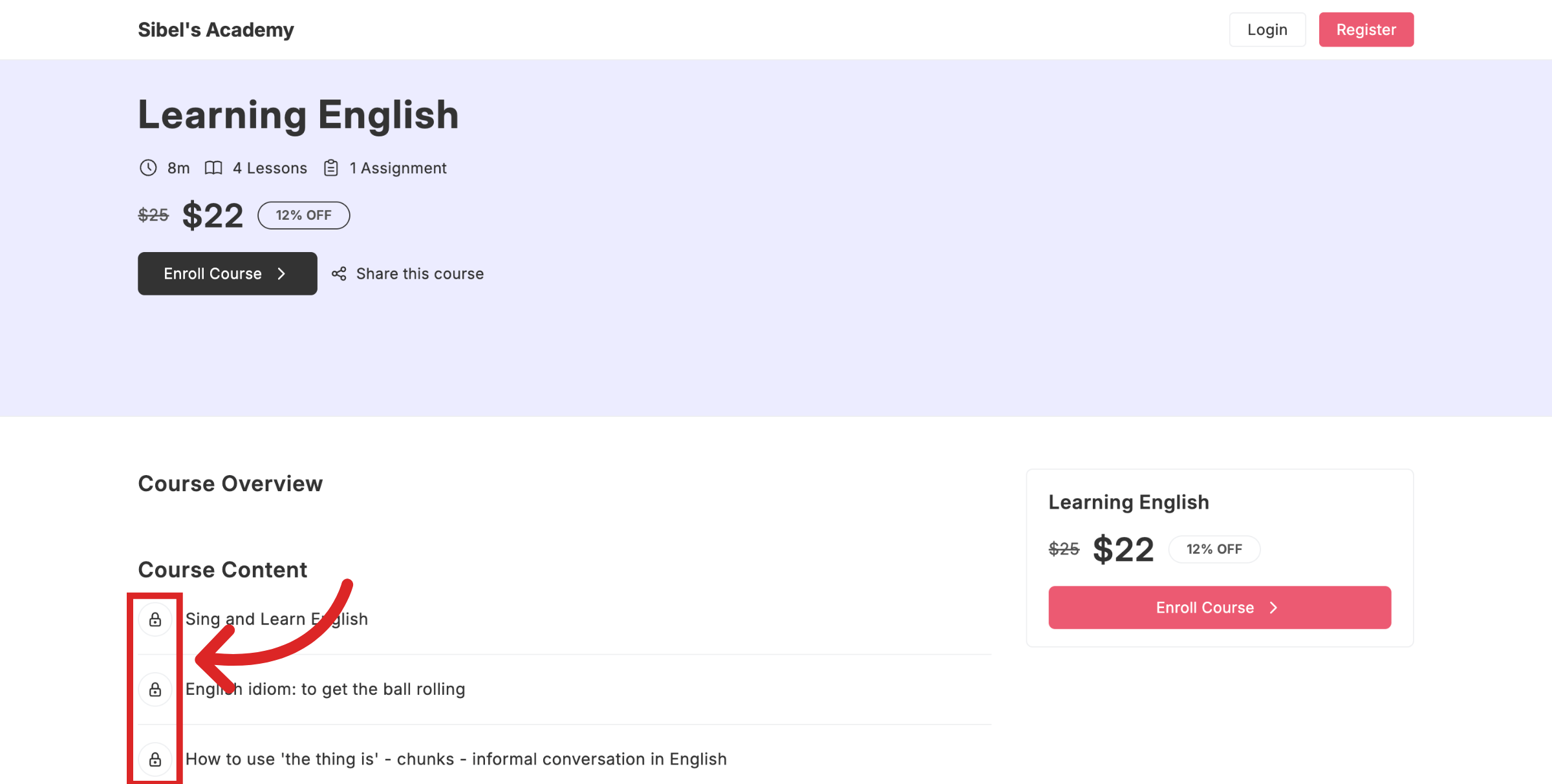
When a course is set as paid all course content is locked by default. Learners will see a lock icon next to the lesson titles.
Users can view basic information (such as the course title, description, and possibly a preview image), but they cannot watch the lessons.
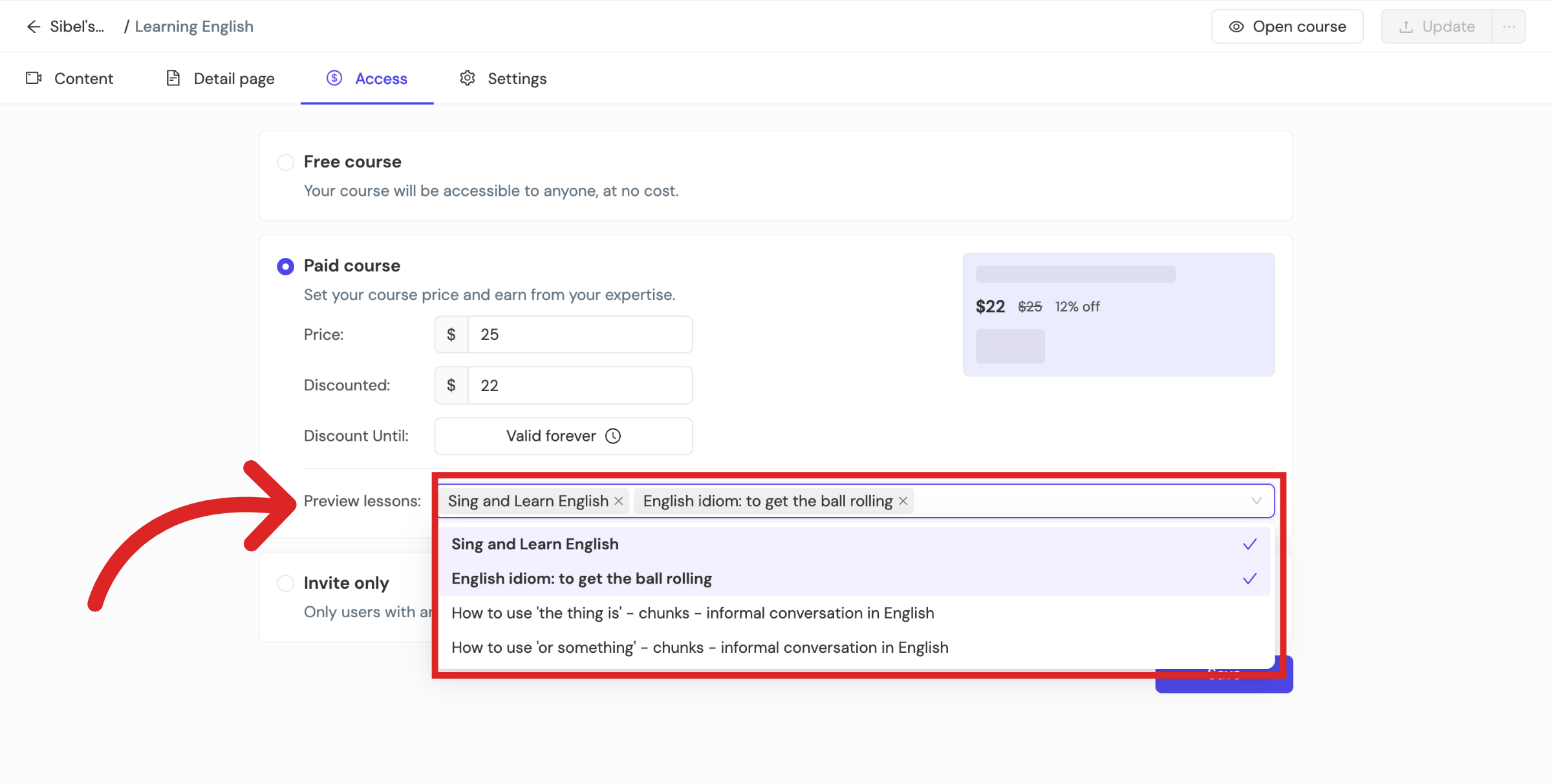
To add free lessons for preview, go to Access > Preview lessons and then select the specific lessons you wish to offer for free. Once you're done click on Save > Update to push these changes live.
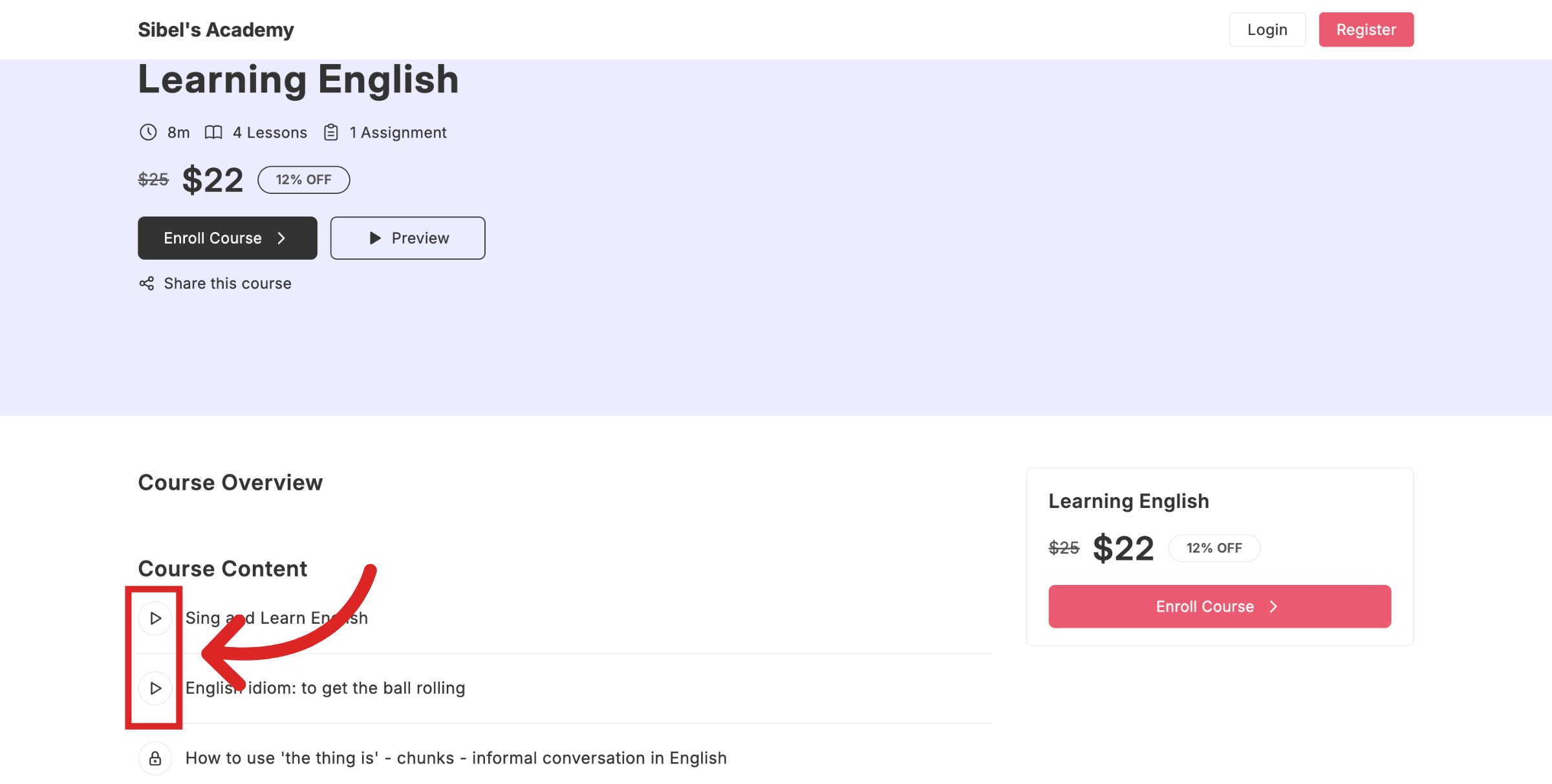
When you make specific lessons free the free content will display a play button icon instead of a lock. Learners can click the play button and start watching without making any payment.
Why Offer Free Courses or Lessons?
Offering free content can be beneficial in several ways:
Builds trust: Learners can experience your teaching style and course quality.
Reduces hesitation: Free access lowers the barrier to trying your material.
Encourages upgrades: After watching free content, learners are more likely to enroll in your paid courses if they find value.
By strategically choosing a few lessons or courses to make free, you can showcase your best material and guide more learners toward your paid courses.
Still need help?
Contact us